
Battery measurements
Follow battery percentage, voltage, current, temperature and cell measurements on supported vehicles.
FOR YOUR ELECTRIC VEHICLE · iOS & CARPLAY
From your battery to your daily drive, see your EV’s data in one place. Connect a compatible OBD adapter and get a clearer picture of every journey.
Requires a compatible vehicle, model year and OBD adapter.
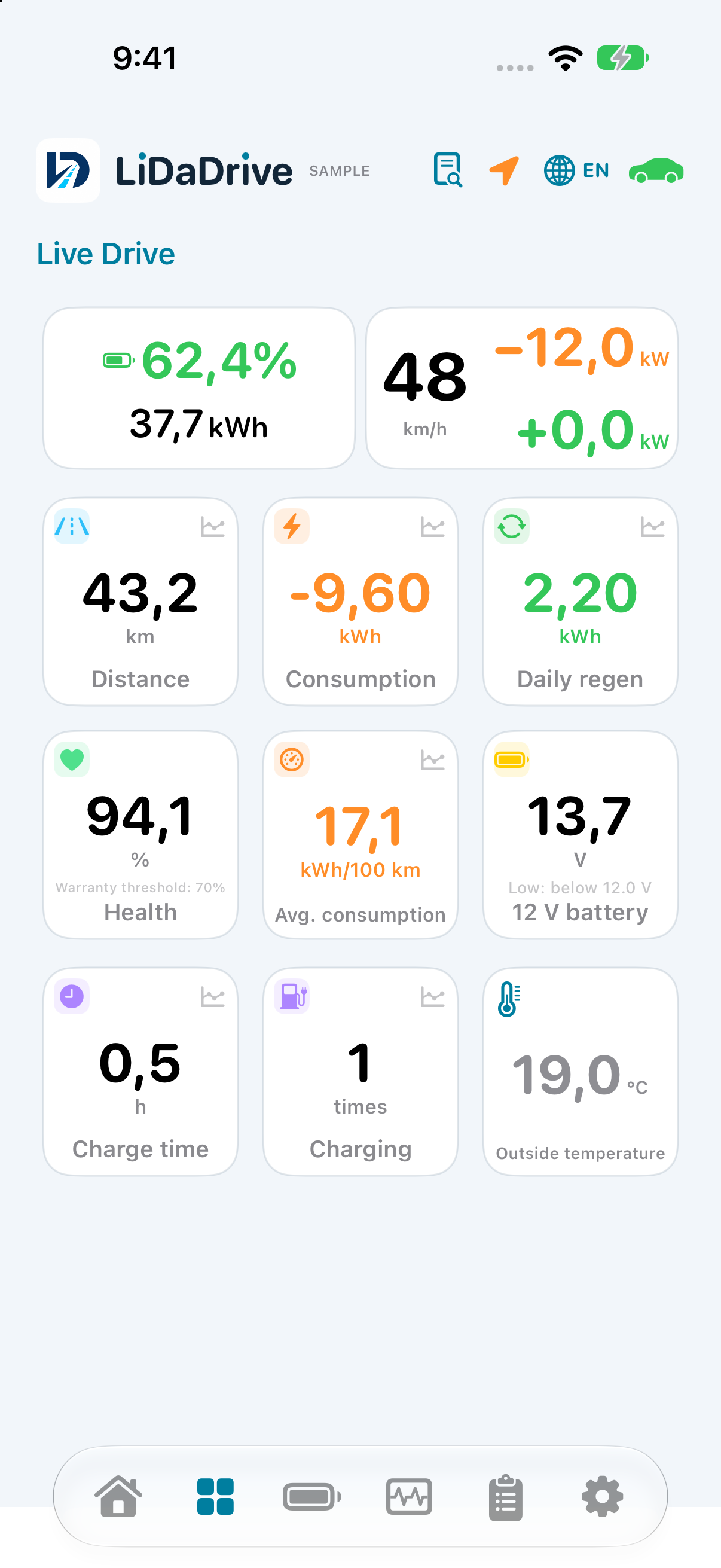
The readings you need, clearly presented. Available measurements depend on your vehicle.
Follow battery percentage, voltage, current, temperature and cell measurements on supported vehicles.
Tap a chart-marked card to explore distance, consumption, regeneration and charging data over time with Pro.
See supported readings on CarPlay with LiDaDrive Pro. Choose day, night or system appearance.
See battery, range, live consumption and regeneration together on CarPlay, alongside your daily distance and energy summary.
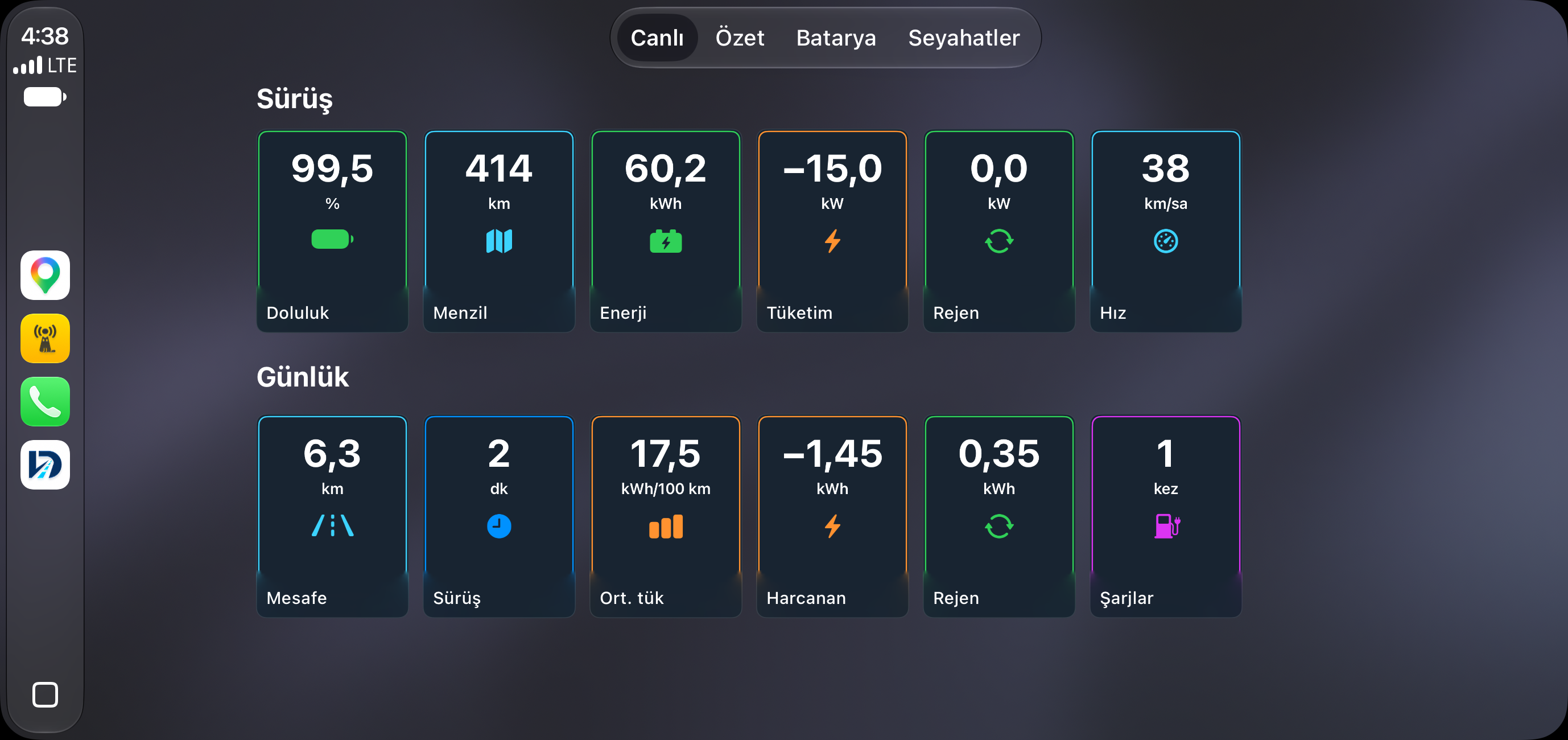
See battery, range, live consumption and regeneration together.
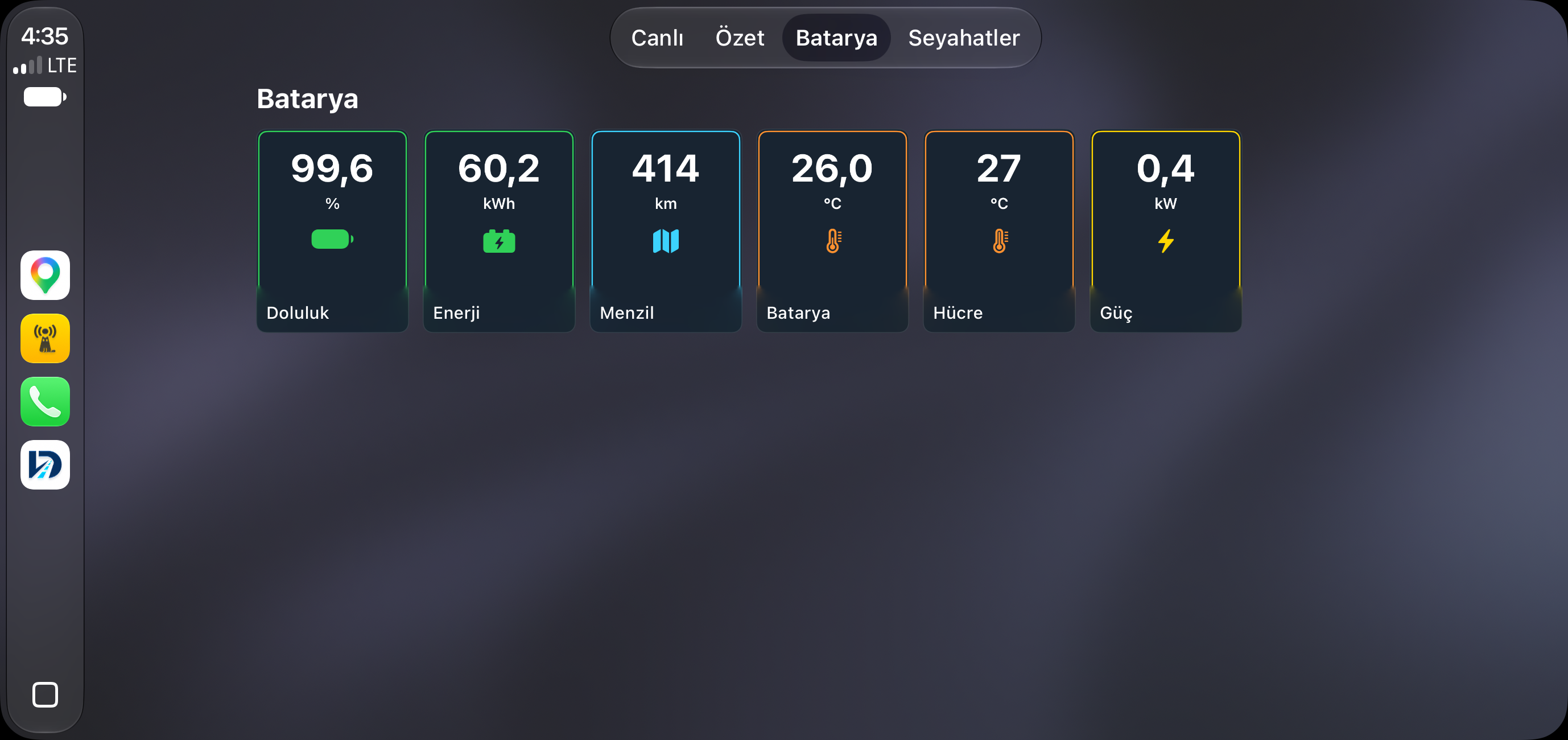
Follow battery charge, estimated energy and temperatures.
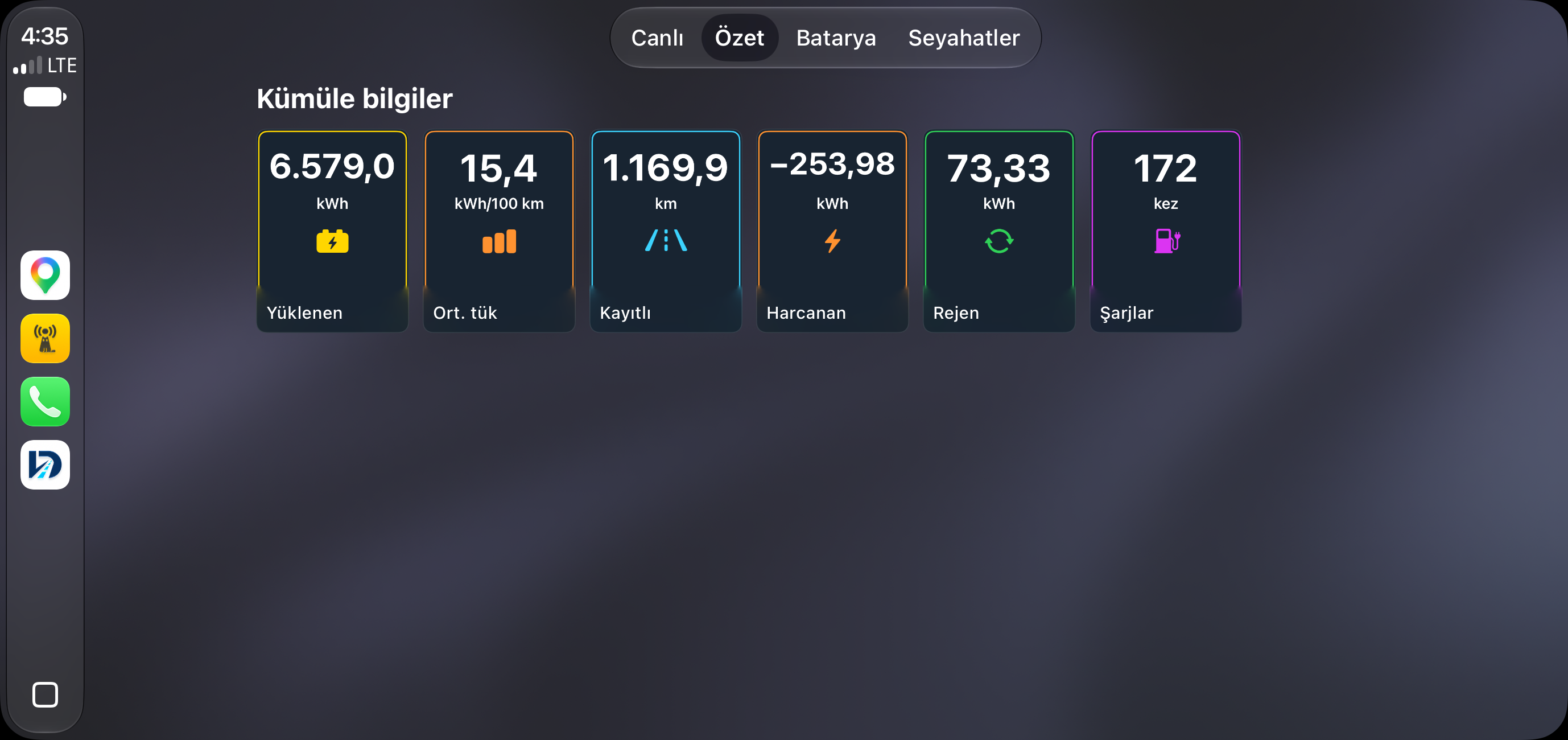
Review recorded distance, consumption and recovered energy totals.
Apple CarPlay · LiDaDrive Pro
Explore LiDaDrive, from daily driving to battery details. Open any screenshot for a closer look.
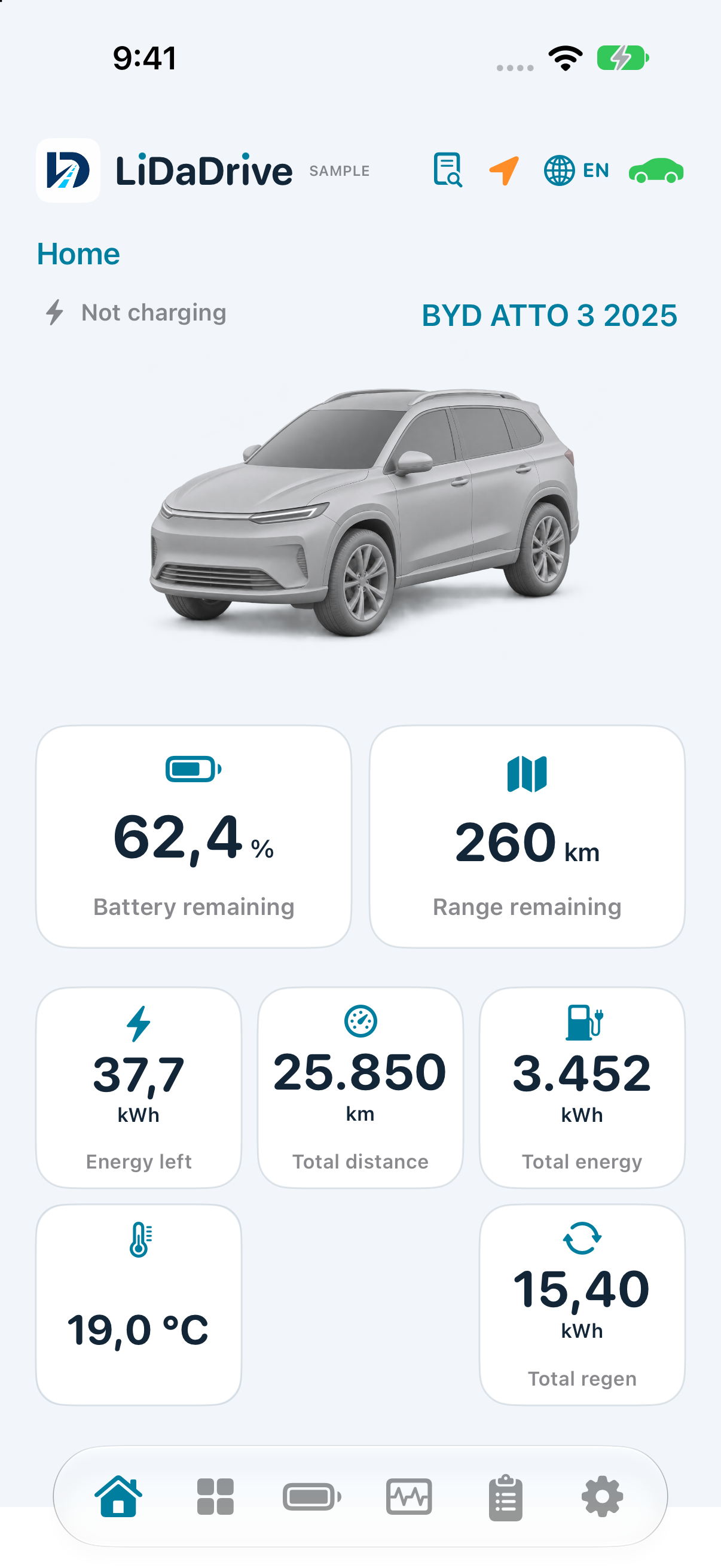
Battery, estimated range, energy and your last vehicle readings.
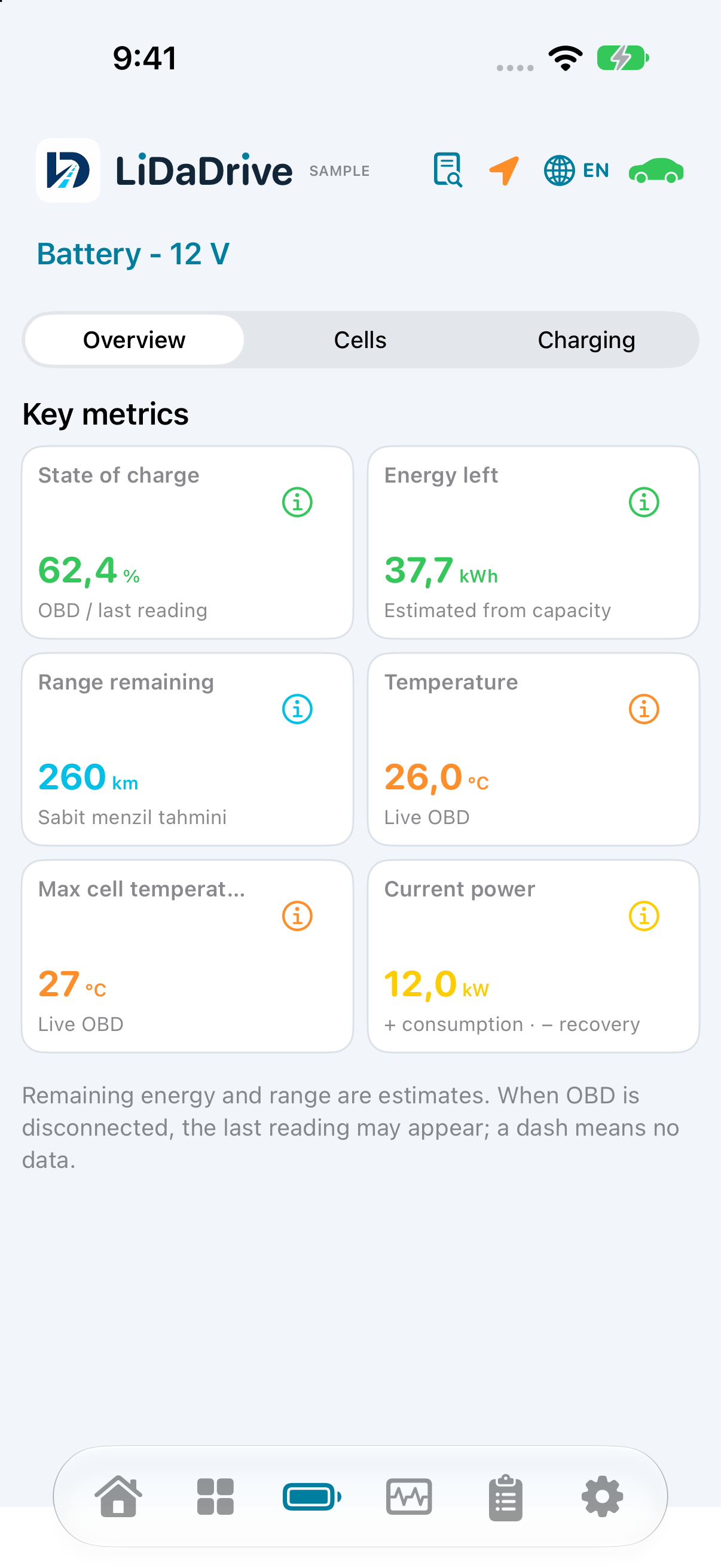
State of charge, estimated remaining energy, temperature and live power.
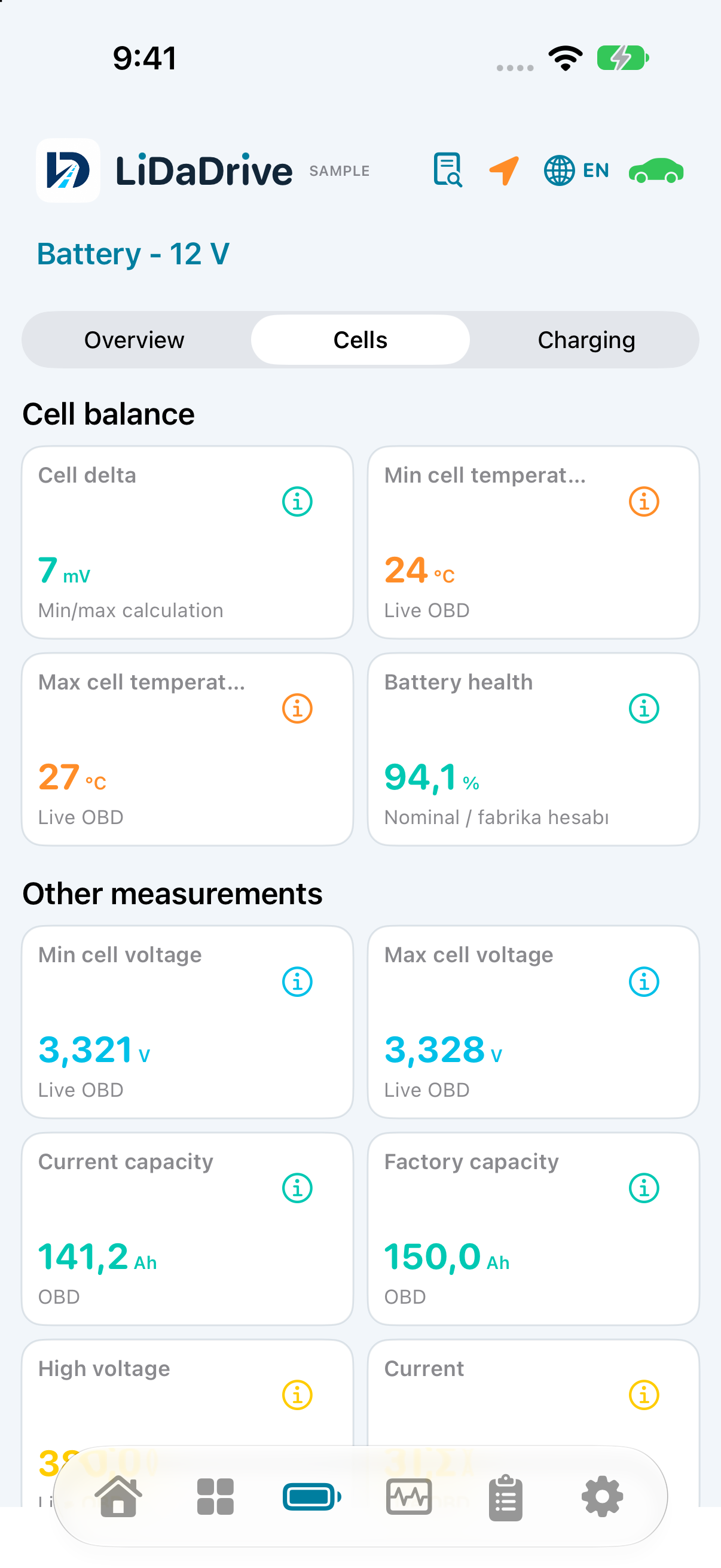
Cell balance, voltage and capacity readings on supported vehicles.
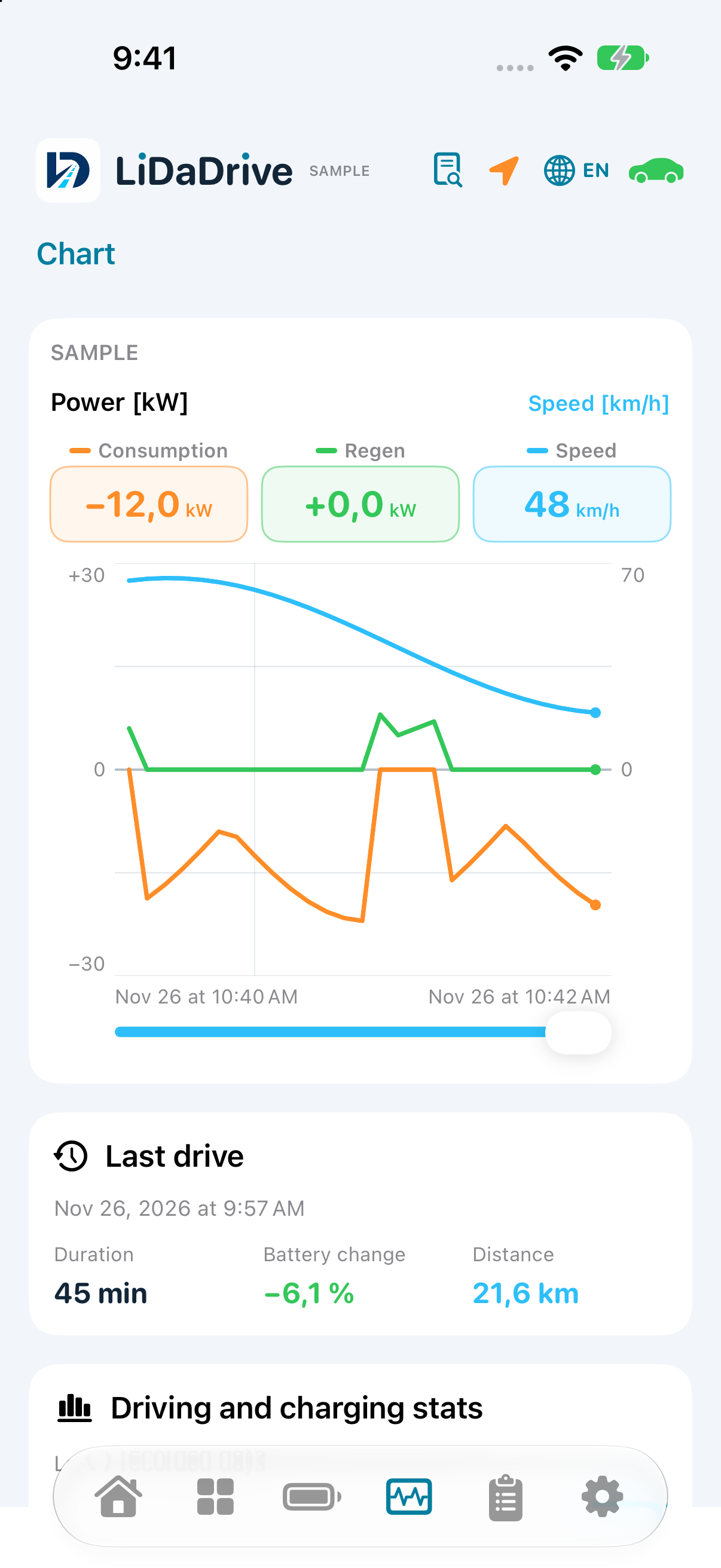
See consumption, regeneration and speed over time.
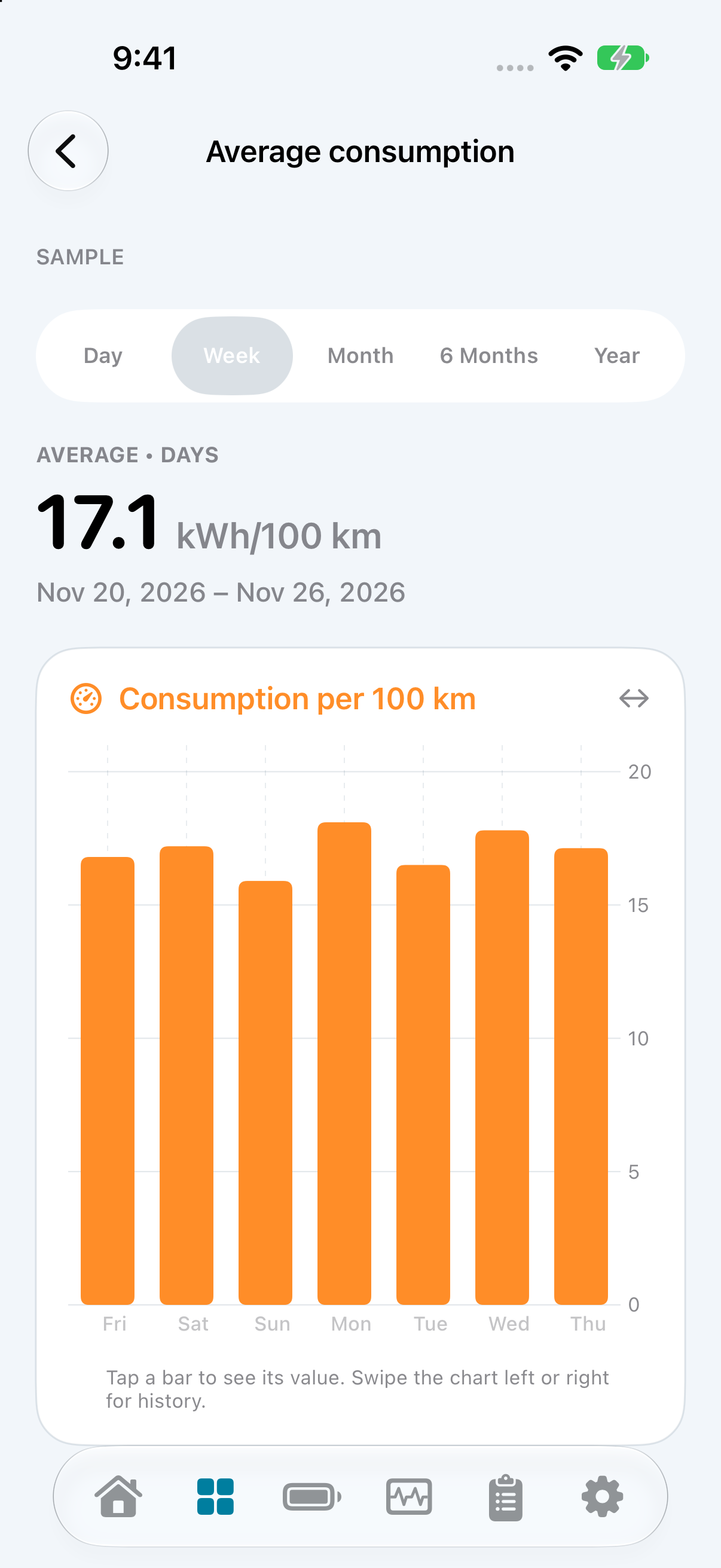
Explore your driving data by day, week and longer periods.
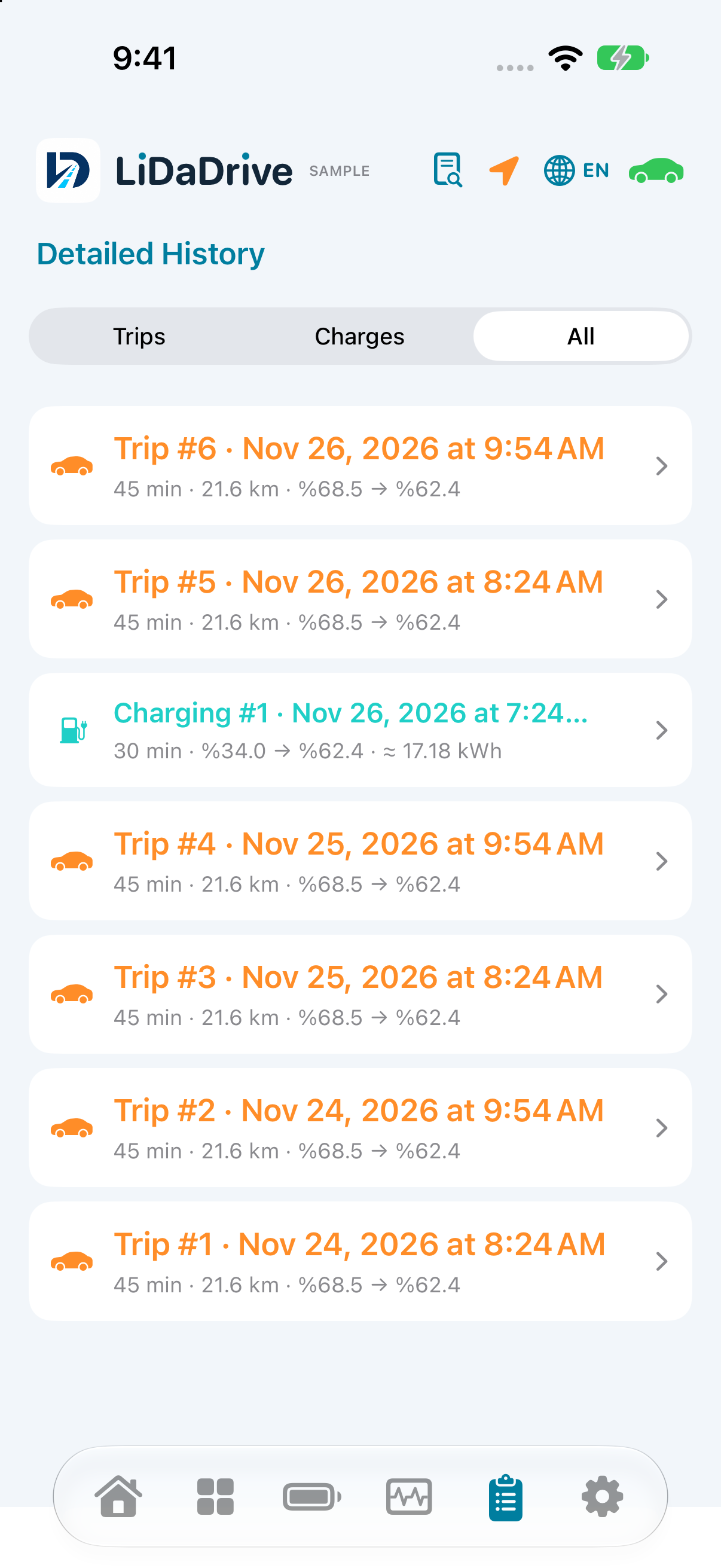
Browse drive and charging records stored on your phone or tablet.
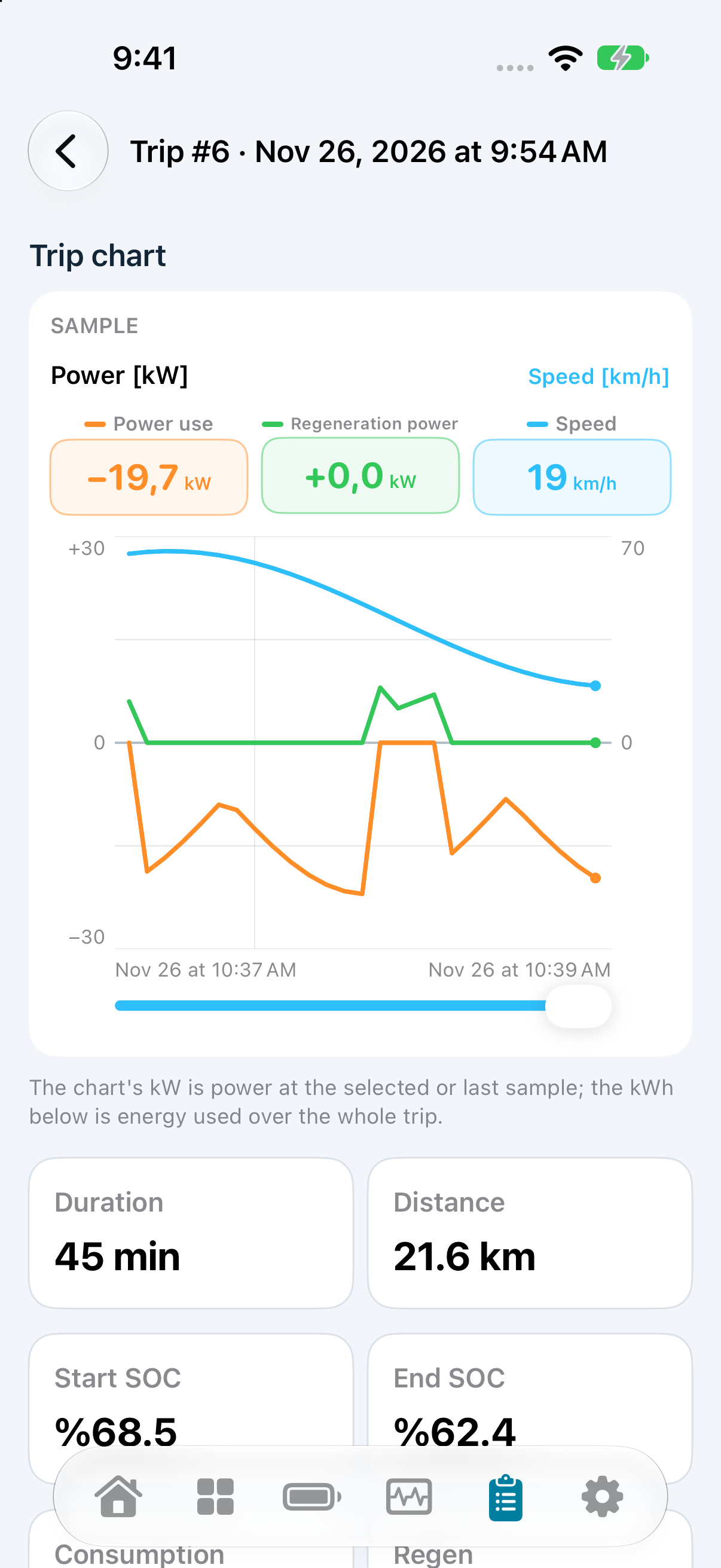
Review distance, battery change, consumption and energy recovered.
App screenshots marked SAMPLE use simulator fixtures, not an actual drive. Available readings vary by vehicle. CarPlay screenshots currently show the Turkish interface.
OBD + LiDaDrive
Plug an iOS-compatible OBD adapter into your vehicle’s diagnostic port.
Known vehicles can select a matching profile automatically. When needed, choose the make, model and year in the app.
Measurements appear when the vehicle returns valid data. Complete your first connection while parked.
LiDaDrive Pro
Start with basic live vehicle readings. Choose Pro for deeper analysis and the in-car display experience.
When sales open, available plans and local prices will appear in Apple’s purchase interface. Subscriptions are managed through your Apple account. The lifetime plan does not automatically renew.
Subscriptions and refundsNo app account required. Drive and charging records stay on the phone or tablet you use. With permission, location is used only for speed and distance; no route history is created. Phone/tablet backups depend on your Apple settings.
Our approach to privacy